The hail and wind alarm allows you to raise your blinds automatically in the event of imminent natural danger.
The default behavior is always to raise the blinds when an alarm is triggered.
VKG/AECA alarm
The Association of Cantonal Insurance Institutions (AECA) aims to strategically coordinate and represent the interests of joint organizations of insurance institutions and their members.
It offers a regional hail alarm system.
To use this system, you must obtain a serail number for your building from the website protectiongrele.ch.
Add a VKG/AECA gateway
To add the VKG/ARCA gateway, go to the gateway configuration page.
Click on the “+” icon at the top right and select the VKG/AECA protocol and “Hail” alarm type.
Define a name for the gateway and enter the serial number provided by VKG/AECA.
Click “Save”.
.png?cb=b345ba6d7d62ff599037c592f2cb171d)
The connection status is then displayed along with useful information such as the alarm status and the latest alarms that have been cleared.
.png?cb=7eab0b0d05468a3570723d0699b03aa4)
Alarm application
Thehre are two ways to control blinds in the event of a hail or wind alarm :
Control via KNX bus => Recommended for KNX installations
Control via LAHOCO => Recommended for installations without KNX or to relay the alarm to other protocols
Control via the KNX bus
A KNX gateway must be configured on LAHOCO beforehand.
The KNX component type “Alarm” allows two actions:
-
Send (CONTROL) an alarm from LAHOCO to the KNX bus, for example a VGK/AECA alarm.
-
Receive (STATUS) an alarm from the KNX bus, for example using a weather station.
Sending an alarm on the KNX bus
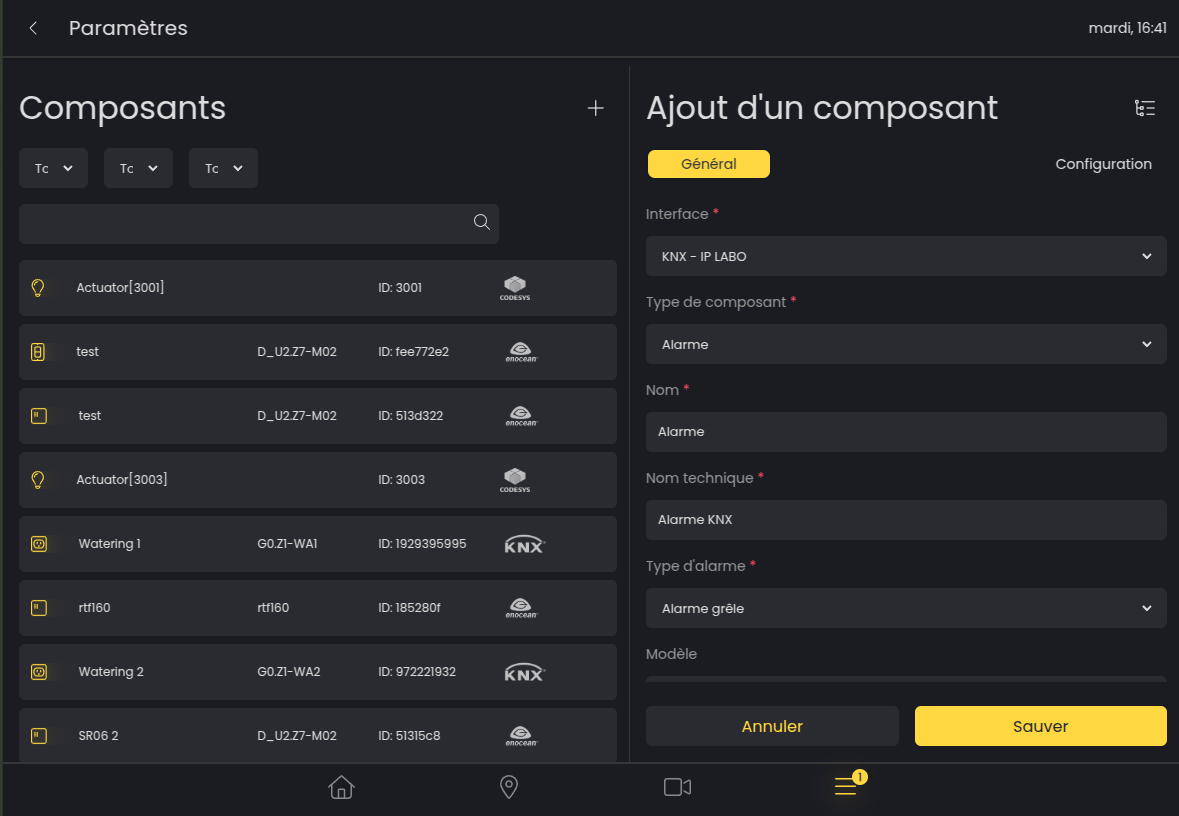
To transmit an alarm on the KNX bus, create a KNX component on the components page.
Configure the component as follows :
-
Gateway: KNX
-
Component type: Alarm
-
Name: As desired
-
Technical name: As desired
-
Alarm type: Hail alarm or Wind alarm
-
Model, Hardware, Software: Free
Then set the Alarm Control 1.005 group address in the Configuration panel. This address will be activated for the entire duration of the alarm.
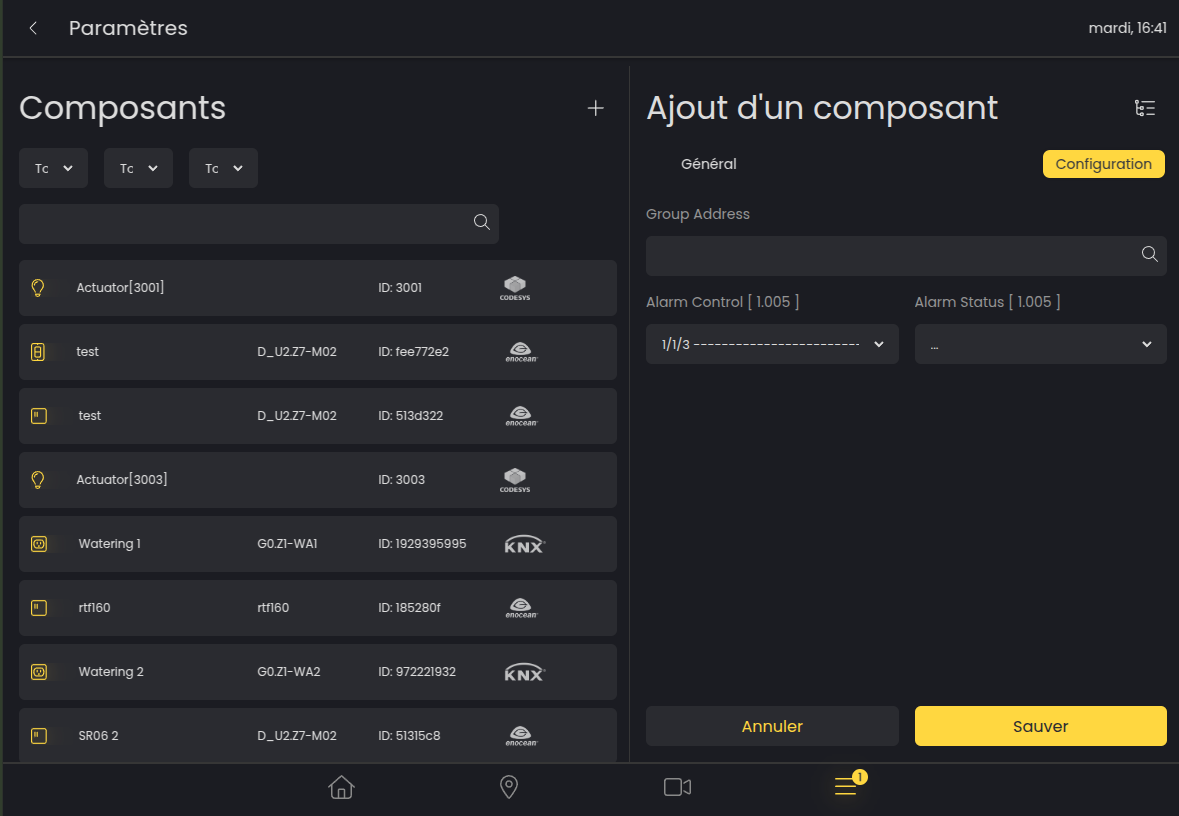
To link a VGK/AECA hail alarm to this KNX component :
-
Create a new scene
-
Add the previously created KNX component of type “Alarm” to the scene. (only this KNX component of the Alarm type should be present in the scene)
-
Add a trigger to the scene
-
Choose the alarm type selected previously and Restore status
Receiving an alarm from the KNX bus
To receive an alarm from the KNX bus, create a KNX component on the components page.
Configure the component as follows :
-
Gateway: KNX
-
Component type: Alarm
-
Name: As desired
-
Technical name: As desired
-
Alarm type: Hail alarm or Wind alarm
-
Model, Hardware, Software: Free
Then set the Alarm Status 1.005 group address in the Configuration panel.
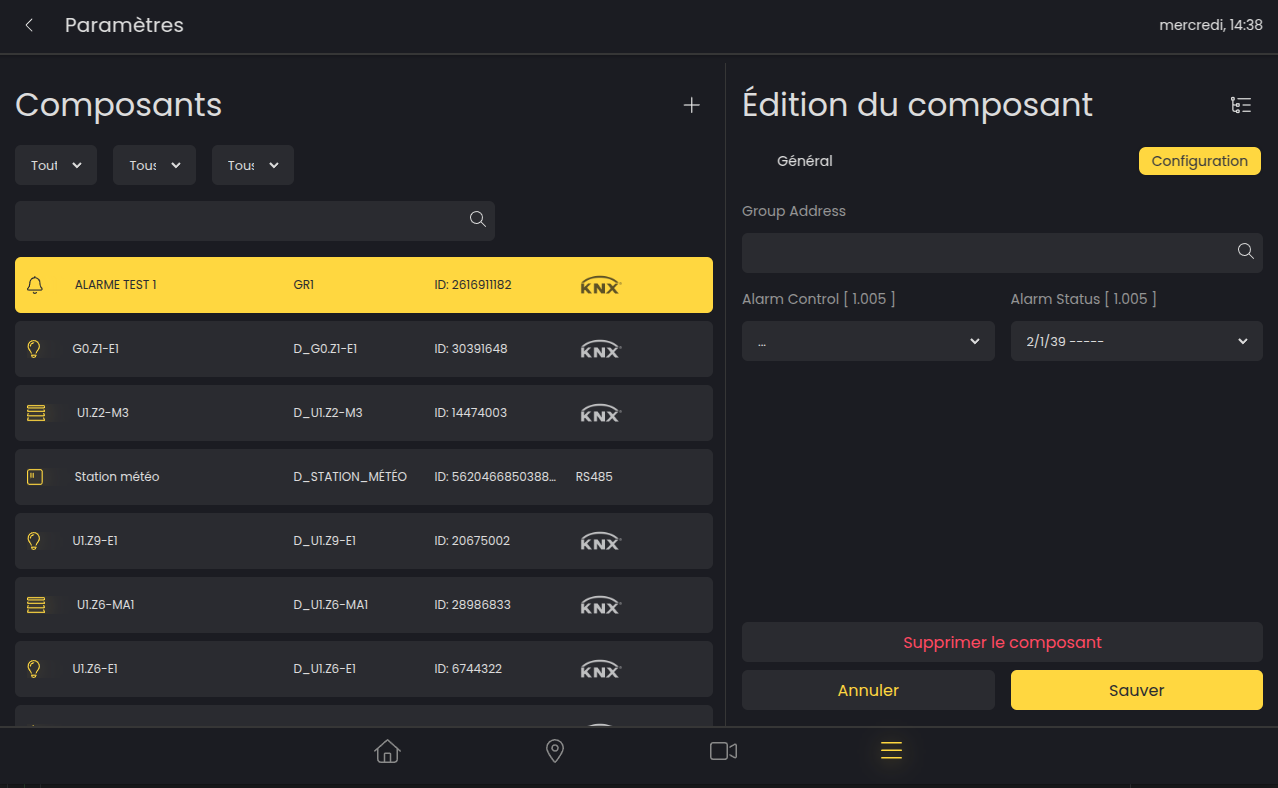
To link a hail or wind alarm to components :
-
Create a new scene
-
Add the desired components to the scene
-
Add a trigger to the scene
-
Select the previously chosen alarm type and the desired behavior
Control via LAHOCO
Components are locked only from the LAHOCO interface
For the VKG
-
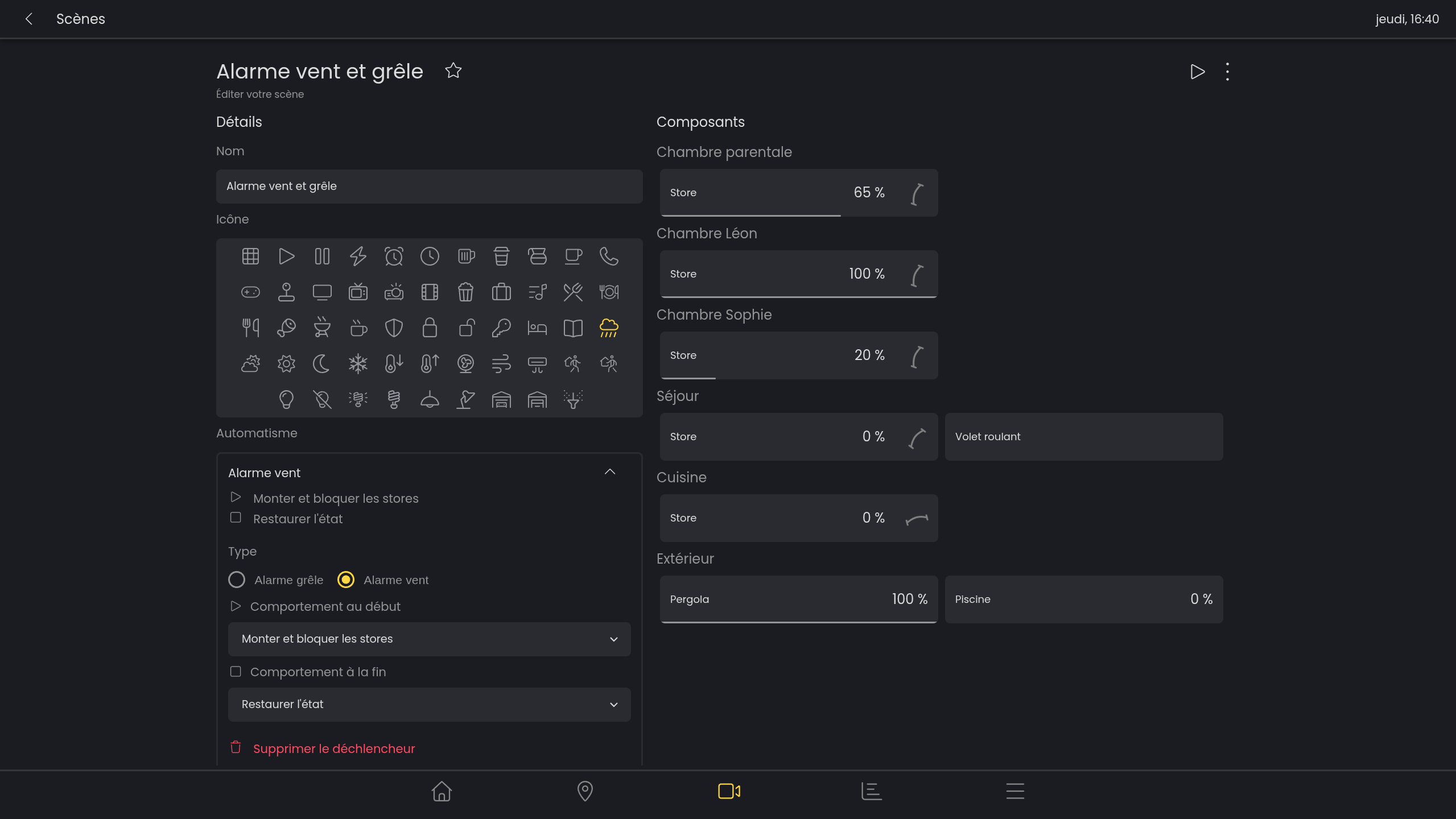
Create a new scene
-
Add the blinds affected by the automatic raising (the position of the blinds in the scene has no effect)
-
Add a trigger to the scene
-
Choose Hail alarm or Wind alarm
-
Select Raise blinds or Raise and lock blinds
-
Select Restore state or No behavior
By selecting Restore state, all blinds in the scene will return to their stat prior to the alarm being activated.
FAQ