The hail and wind alarm allows your blinds to be raised automatically in the event of imminent natural danger.
The default behavior is always to raise the blinds during an alarm.
VKG/AECA Alarm
The Association of Cantonal Insurance Establishments (AECA) aims to strategically coordinate and represent the interests of the joint organizations of insurance establishments, as well as their members.
It offers a hail alarm system by region.
To do this, you need to obtain a serial number dedicated to the building from the site protectiongrele.ch.
Add a VKG/AECA interface
To add the VKG/AECA interface, go to the interface configuration page.
Click on the “+” icon located at the top right and choose the VKG/AECA protocol and the “Hail” alarm type.
Define a name for the interface and enter the serial number provided by VKG/AECA.
Click “Save”.
.png?cb=b345ba6d7d62ff599037c592f2cb171d)
The connection status is then displayed along with useful information such as the alarm status and the most recent alarms triggered.
.png?cb=7eab0b0d05468a3570723d0699b03aa4)
Alarm Application
There are two ways to control the blinds in the event of a hail or wind alarm:
Control via the KNX bus => Recommended for KNX installations
Control via LAHOCO => Recommended for installations without KNX or to forward the alarm to other protocols
Control via the KNX bus
Configuring a KNX-type interface on LAHOCO is a prerequisite
The KNX “Alarm” component type allows two actions:
-
Send (CONTROL) an alarm from LAHOCO to the KNX bus, for example a VGK/AECA alarm.
-
Receive (STATUS) an alarm from the KNX bus, for example using a weather station.
Send an alarm on the KNX bus
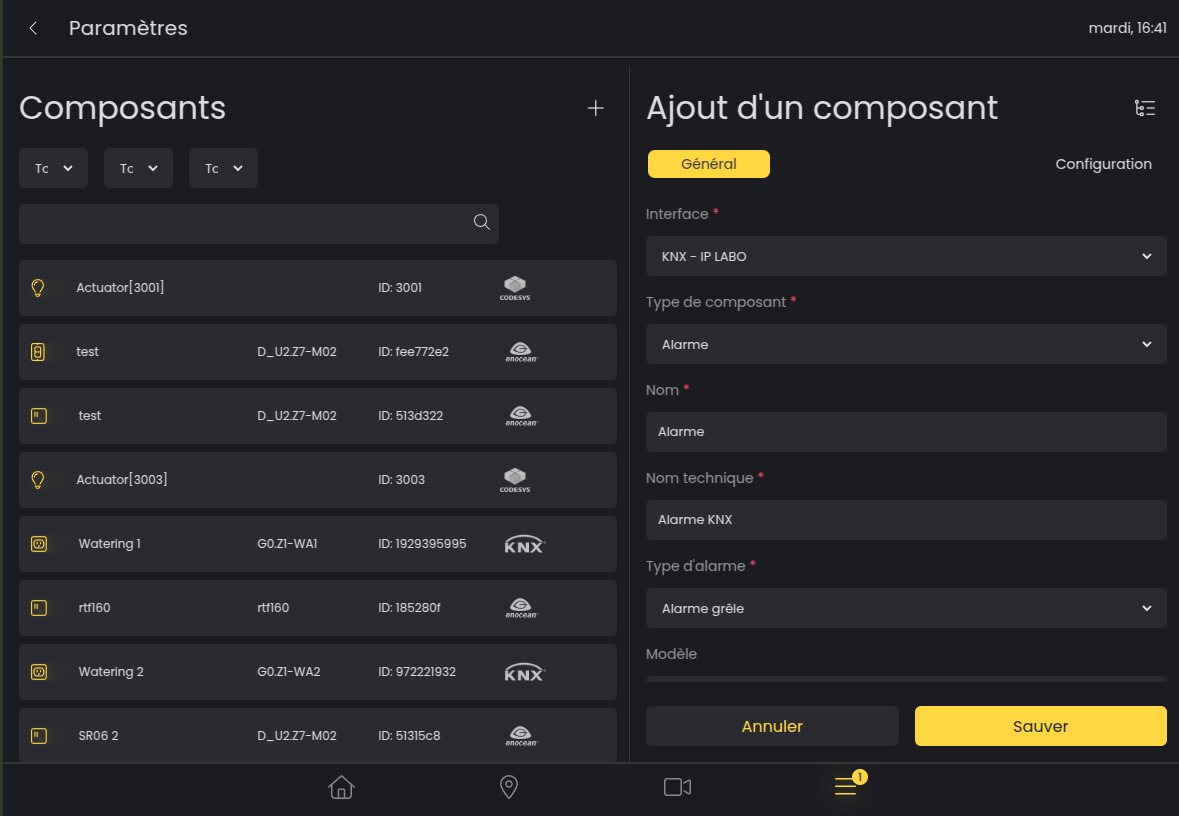
To transmit an alarm on the KNX bus, create a KNX component on the page dedicated to components.
Configure the component as follows:
-
Interface: KNX
-
Component type: Alarm
-
Name: As you prefer
-
Technical name: As you prefer
-
Alarm type: Hail alarm or Wind alarm
-
Model, Hardware, Software: Free choice
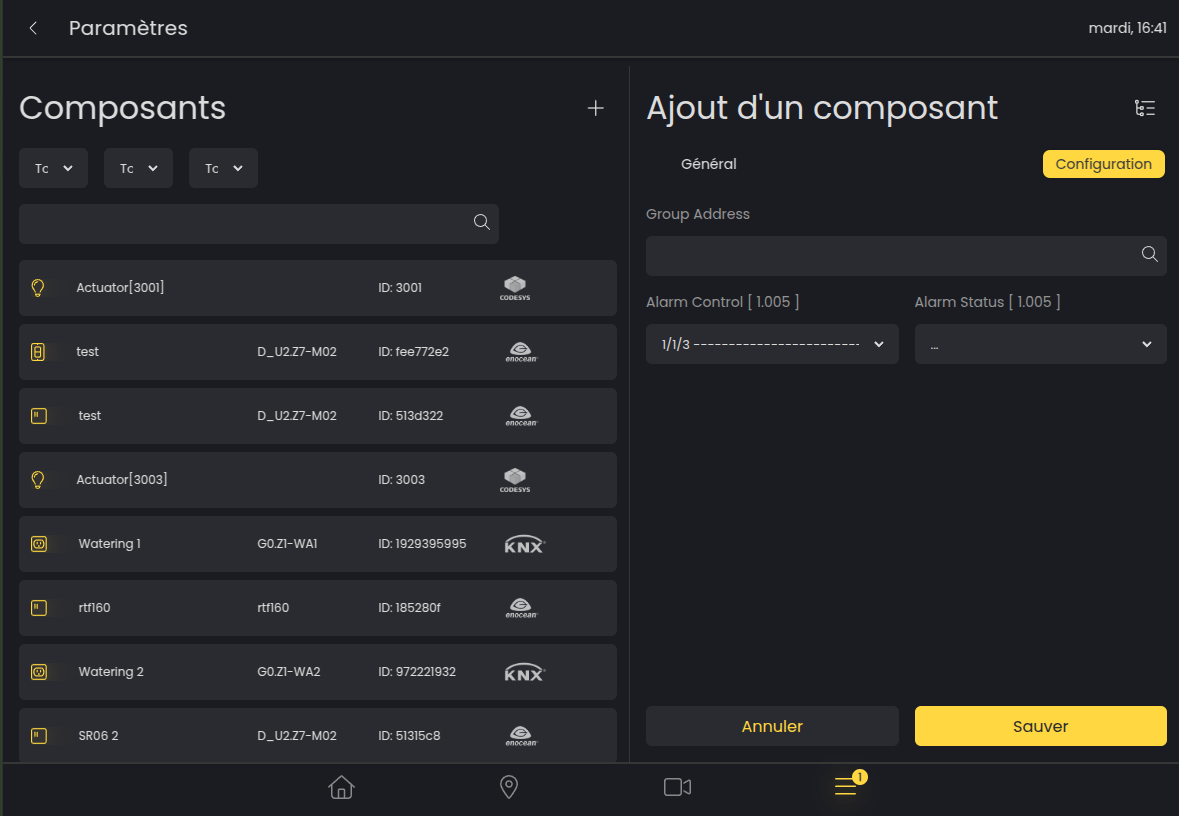
Then define the group address Alarm Control 1.005 in the Configuration panel. This address will be activated for the entire duration of the alarm.
To link a VGK/AECA hail alarm to this KNX component:
-
Create a new scene
-
Add the previously created “Alarm” type KNX component to the scene (only this KNX component of type Alarm must be present in the scene)
-
Add a trigger to the scene
-
Choose the alarm type selected previously and Restore state
Receive an alarm from the KNX bus
To receive an alarm from the KNX bus, create a KNX component on the page dedicated to components.
Configure the component as follows:
-
Interface: KNX
-
Component type: Alarm
-
Name: As you prefer
-
Technical name: As you prefer
-
Alarm type: Hail alarm or Wind alarm
-
Model, Hardware, Software: Free choice
Then define the group address Alarm Status 1.005 in the Configuration panel.
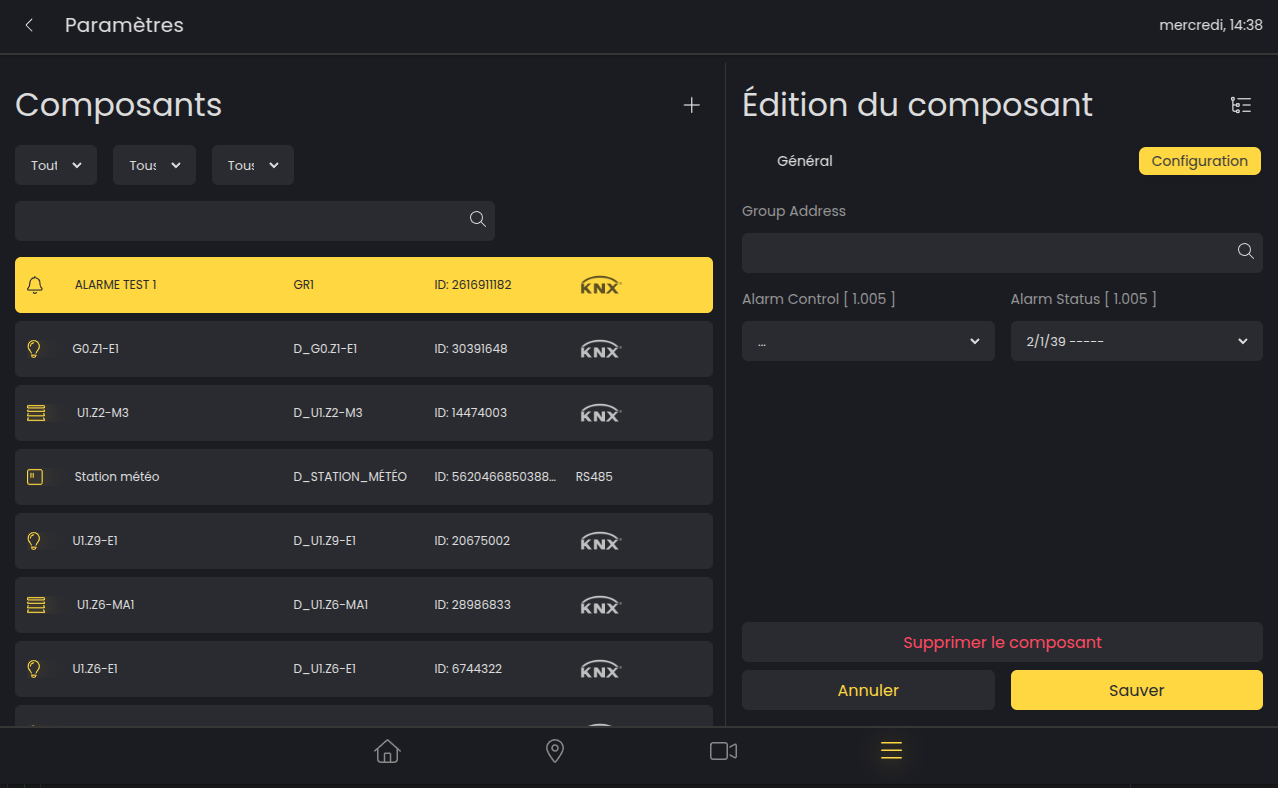
To link a hail or wind alarm to components:
-
Create a new scene
-
Add the desired components to the scene
-
Add a trigger to the scene
-
Choose the alarm type selected previously and the desired behavior
Control via LAHOCO
Components are blocked only from the LAHOCO interface
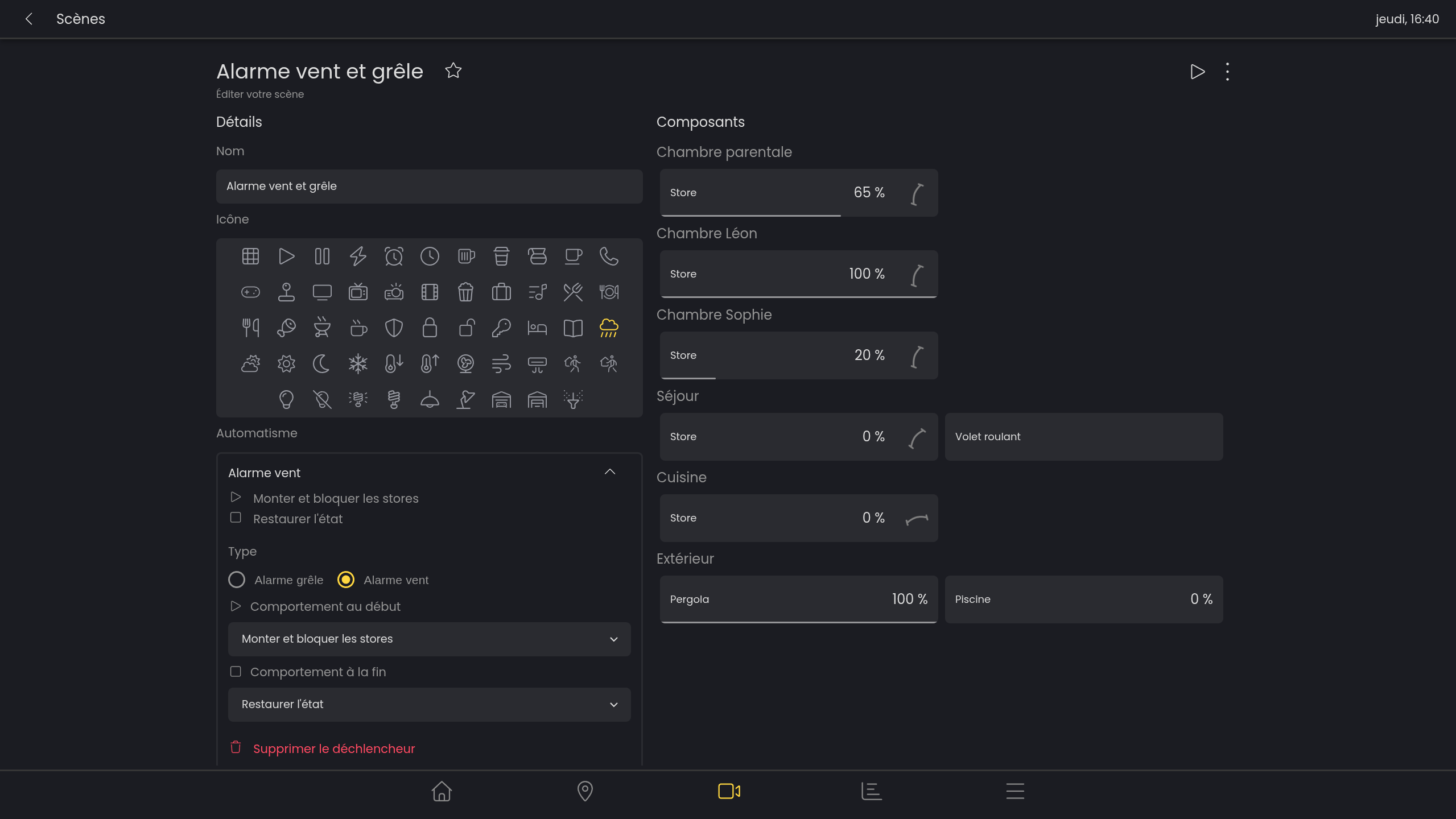
For the VKG/AECA hail or wind alarm to affect your components, you must:
-
Create a new scene
-
Add the blinds concerned by the automatic raising (the position of the blinds in the scene has no effect)
-
Add a trigger to the scene
-
Choose Hail alarm or Wind alarm
-
Choose Raise the blinds or Raise and lock the blinds
-
Choose Restore state or No behavior
By choosing Restore state, all blinds in the scene will return to their state prior to the alarm activation.
FAQ