The Configuration menu lets you edit the application settings.
This part of the application is optimised for access from the PC (large screen).
Access to the configuration page
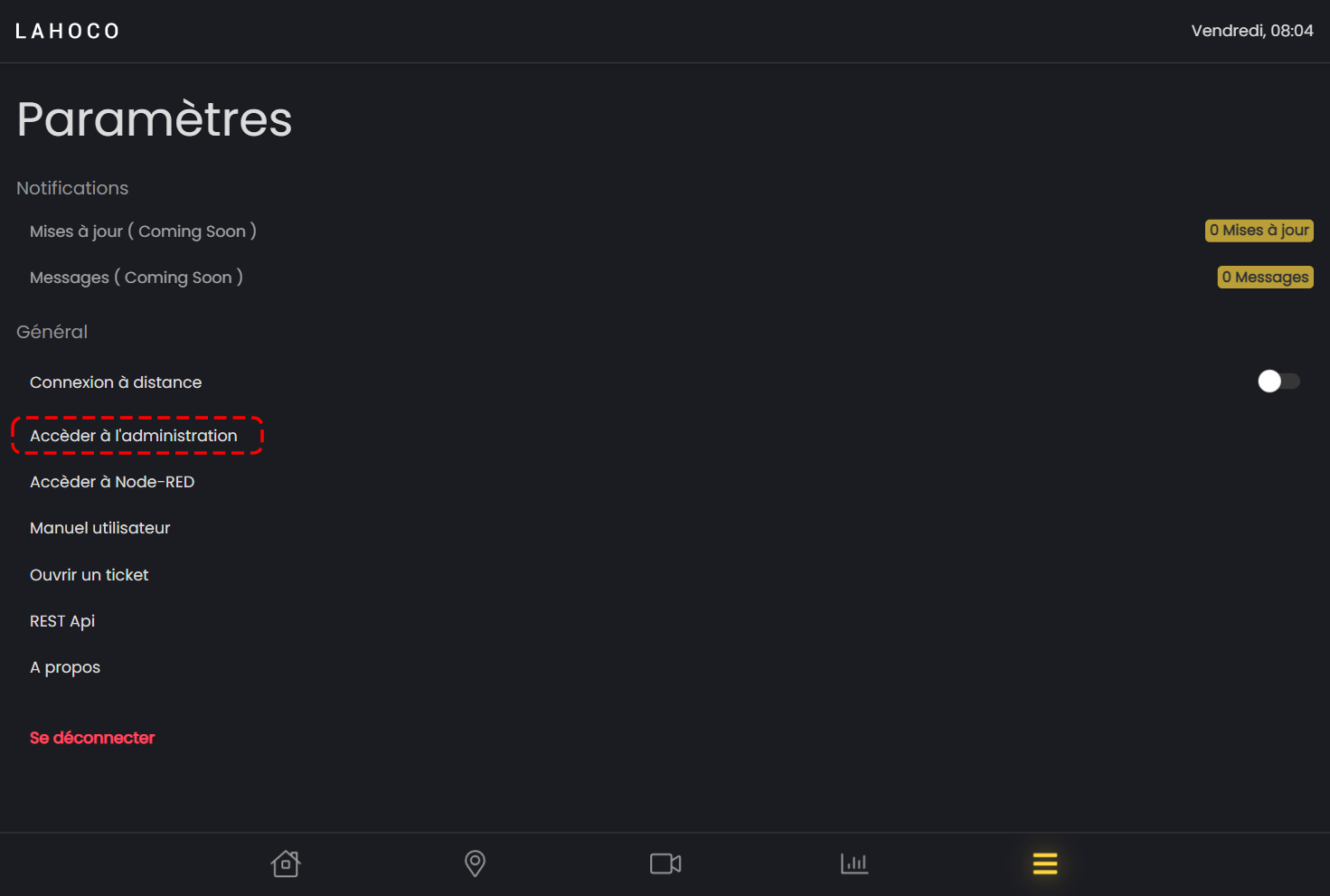
To access this page from LAHOCO HOME, simply go to the "Menu" tab on the far right and click on "Access administration".
General settings
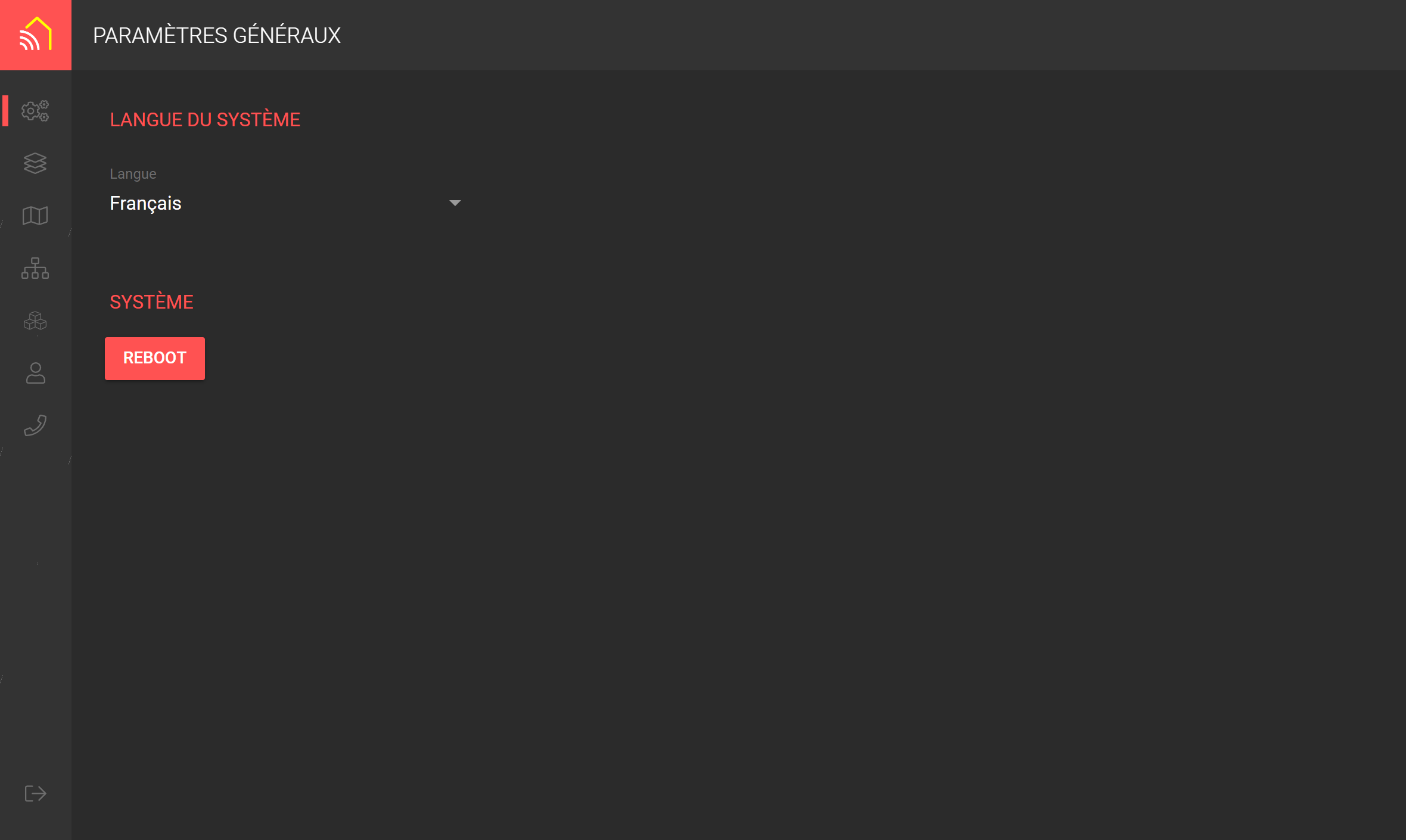
In General settings we find the following configurations:
-
System language
-
Ability to restart your LAHOCO
Components
Component settings allow you to rename components and manage and modify parameters for certain types of component (enocean, for example). You can also define the zone(s) in which they are located.
Filters on component types, protocols and names make searching easier.
.png?cb=e3de4d8baf5f9a3574de909131345512)
Services
The Services tab is used to define the various services (physical/virtual) used in the installation.
Physical services such as KNX and HUE are linked to a device or gateway, while virtual services are linked to an application functionality such as Node-RED.
.png?cb=9a2b97730c0277590b8b9c03f370f724)
User management
User management allows you to create, edit or delete logins for access to LAHOCO HOME.
To change the password or delete a user, click on the 3 dots at the far right of the list.
.png?cb=6b191a505e001410898ffe712d324a48)